InfoBedingungenDatenschutzKontakt
 
Wird aktualisiert
Grafio 4 - Diagramm-Designer

Grafio 4 - Diagramm-Designer

Veröffentlicht: 2010-07-30
© Ten Touch Ltd.
Grafio 4 - Diagramm-Designer - QR Code
Version 4.3.17
4+
Laden im App Store
Version 4.3.17
4+
Laden im App Store
Veröffentlicht: 2010-07-30
© Ten Touch Ltd.

iPhone Screenshots

Screenshot
Screenshot
Screenshot
Screenshot
Screenshot
Screenshot
Screenshot
Screenshot
Screenshot
Screenshot

iPad Screenshots

Screenshot
Screenshot
Screenshot
Screenshot
Screenshot
Screenshot
Screenshot
Screenshot
Screenshot
Screenshot

Beschreibung

Grafio wird 10 Jahre alt. Es gibt sie schon seit einem Jahrzehnt - ansprechender und effizienter und stetig wachsenden Funktionssatz.
Grafio ist kein Werkzeug nur für Profis. Es stellt eine niedrige Schwelle für alle in den Bereich des visuellen Denkens dar. Es wird von Hunderttausenden von Benutzern weltweit aufgrund seiner Einfachheit und Erschwinglichkeit verwendet.
Keine laufenden Abonnement- oder Upgrade-Kosten. Was Sie einmal gekauft haben, ist Ihnen zu verwenden, bis Grafio ist da. Loyal EGrafio-Nutzer haben bisher 3 große Upgrades ohne zusätzliche Kosten erhalten.
Zeichnen Sie zunächst einfach ein Rechteck, einen Kreis oder eine Ellipse und beobachten Sie, wie Grafio sie erkennt und durch eine perfekt aussehende Form für Ihr Diagramm oder Ihren Schaltplan ersetzt.
Ziehen Sie Objekte auf der Leinwand für komplexere Diagramme. Herstellen von Verbindungen, Hinzufügen von Textbeschriftungen und Bildern.
- Video-Anleitungen über Grafio auf YouTube:
http://bit.ly/grafiovideo
FUNKTIONENSET:
------------------
• Formerkennung (erkennt handgezeichnete einfache Formen - Rechtecke, Ellipsen, Dreiecke etc.)
• Formensammlung zum Ziehen & Ablegen.
• Bilder einfügen/ablegen
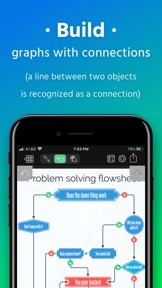
• Diagramme und Graphiken mithilfe von Verbindungen erstellen. (Eine Linie zwischen zwei Objekten wird als Verbindung erkannt).
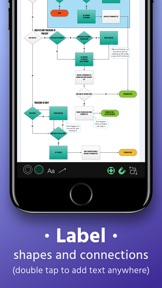
• Formen und Verbindungen beschriften. (Text überall mit Doppelklick einfügen)
• Alles (sogar Entwürfe) auswählen, verschieben, rotieren und anpassen
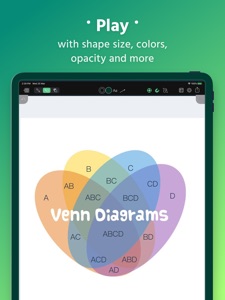
• Formgröße, -farbe, -opazität und andere Eigenschaften ändern.
• 50+ Schriften, Schriftgrößen, Schriftfarben und Schriftausrichtungen.
• 10 verschiedene Verbindungsarten mit verstellbarem Radius
• Formen in den Vordergrund / Hintergrund holen, blockieren oder gruppieren
• Quer durch die Anwendung kopieren und ablegen
• Rückgängig machen & wiederherstellen
• Ihr Arbeitsdokument zoomen und panoramieren.
• Ihr Dokument per E-Mail senden.
• VGA-Output für Präsentationen.
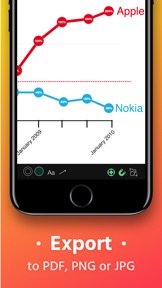
• Als PDF exportieren
• Unterstützung von AirPrint.
• Unterstützung von iCloud und andere Cloud-Dienste.
WAS KANN GRAFIO?
------------------
• Notizen machen
• Audionotizen zu Objekten aufnehmen
• Vektorentwürfe
• Flussdiagramme
• Netzwerkdiagramme
• SDL-Diagramme
• Datenflussdiagramme
• Arbeitsflussdiagramme
• TQM-Diagramme
• Audit-Diagramm
• Organigramme
• Venn-Diagramme
• Einfache Schaubilder und Graphiken
• Mind-Maps (Brainstorming-Diagramm)
• Blockdiagramm
• Anwendungsfalldiagramme
• Webseitenübersichten
• Drahtmodelldiagramme
• Straßenpläne
• Rekonstruktion von Verkehrsunfällen
• Industrielle Prozesse
• Zufahrtsplänen/Meeresströmungen
• Taktische Pläne und Militärkarten
• Und viele mehr
Kostenlose Bibliotheken:
------------------
• Active Directory (AD)
• Amazon Web Services (AWS)
• ArchiMate
• AV Connectors
• Azure-Dienste
• Elektrische Symbole
• Gefahrensymbole und GHS-Symbole
• Google Cloud Platform (GCP)
• Grundformen 2D & 3D
• Grundlegendes Flussdiagramm
• JoyPixel-Symbole (früher EmojiOne)
• Kritzeleien
• Kubernetes
• Meme
• NATO Joint Military Symbology (APP-6)
• Pfeile
• Piktogramme
• Piping & Instrumentation (P&ID)
• Pneumatisch & hydraulisch
• Sankey Diagrams
• Sprechblasen und Beschriftungen
• Textilien
• UML Diagramm
• US-Verkehrszeichen
• Vintage Formen
• WatchOS UI Kit
Bezahlte Bibliotheken
------------------
• FULL ACCESS - Holen Sie sich alle Bibliotheken mit einem Rabatt
• Arbeitsablaufdiagramm
• Audit-Diagramm
• BPMN
• Datenflussdiagramm
• Drahtmodell
• Ereignisgesteuerte Prozesskette (EPC)
• ESL "Energese"
• Funktionsübergreifendes Flussdiagramm
• iOS UI Kit
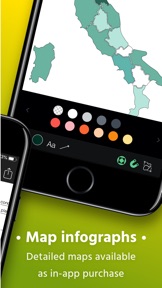
• Karten und Flaggen
• Konzeptkarte
• Marketingdiagramme
• Netzwerkdiagramm
• SDL-Diagramm
• TQM-Diagramm
• UX-Flussdiagrammkarten (Sitemap)
• Venn-Diagramme
Für mehr Informationen rufen Sie http://www.tentouchapps.com/Grafio auf...

Neue Funktionen von Version 4.3.17

Fix for several issues with Stencils library
If you have any questions or suggestions, please contact us at http://www.tentouchapps.com/contact

Anbieter

Informationen

Entwickler

Kategorien

Version

4.3.17

Größe

234,3 MB

Game Center

Nein

VPP Device Licensing

Ja

Bewertung

Altersfreigabe: 4+

Kompatibilität

iOS 13.0 oder neuer

Geräte

iPhone 5s, iPhone 6, iPhone 6 Plus, iPhone 6s, iPhone 6s Plus, iPhone SE, iPhone 7, iPhone 7 Plus, iPhone 8, iPhone 8 Plus, iPhone X, iPhone XR, iPhone XS, iPhone XS Max, iPhone 11, iPhone 11 Pro, iPhone 11 Pro Max, iPhone SE (2. Generation), iPhone 12, iPhone 12 Pro, iPhone 12 Pro Max, iPhone 12 mini, iPhone 13, iPhone 13 Pro, iPhone 13 Pro Max, iPhone 13 mini, iPhone SE (3. Generation), iPhone 14, iPhone 14 Plus, iPhone 14 Pro, iPhone 14 Pro Max, iPad (5. Generation) Wi-Fi, iPad (5. Generation) Wi-Fi + Cellular, iPad (6. Generation) Wi-Fi, iPad (6. Generation) Wi-Fi + Cellular, iPad Pro, iPad Pro (Cellular), iPad Pro (9,7 Zoll), iPad Pro (9,7 Zoll) (Cellular), iPad Pro (12,9", 2. Generation), iPad Pro (12,9", 2. Generation) Wi-Fi + Cellular, iPad Pro (10,5"), iPad Pro (10,5") Wi-Fi + Cellular, iPad Pro (11"), iPad Pro (11") Wi-Fi + Cellular, iPad Pro (12,9", 3. Generation), iPad Pro (12,9", 3. Generation) Wi-Fi + Cellular, iPad Air, iPad Air (Cellular), iPad Air 2, iPad Air 2 (Cellular), iPad Air (3. Generation), iPad Air (3. Generation) Wi-Fi + Cellular, iPad mini Retina, iPad mini Retina (Cellular), iPad mini 3, iPad mini 3 (Cellular), iPad mini 4, iPad mini 4 (Cellular), iPad mini (5. Generation), iPad mini (5. Generation) Wi-Fi + Cellular, iPad (7. Generation) Wi-Fi + Cellular, iPad Pro 11" (2. Generation), iPad Pro 11" (2. Generation) Wi-Fi + Cellular, iPad Pro 12,9" (4. Generation), iPad Pro 12,9" (4. Generation) Wi-Fi + Cellular, iPad Air (4. Generation) (Wi-Fi), iPad Air (4. Generation) (Wi-Fi + Cellular), iPad (8. Generation) Wi-Fi, iPad (8. Generation) Wi-Fi + Cellular, iPad Pro 11" (3. Generation), iPad Pro 11" (3. Generation) Wi-Fi + Cellular, iPad Pro 12,9" (5. Generation), iPad Pro 12,9" (5. Generation) Wi-Fi + Cellular, iPad (9. Generation), iPad (9. Generation) Wi-Fi + Cellular, iPad mini (6. Generation), iPad mini (6. Generation) Wi-Fi + Cellular, iPad Air (5. Generation), iPad Air (5. Generation) Wi-Fi + Cellular, iPad Pro 11" (4. Generation), iPad Pro 11" (4. Generation) Wi-Fi + Cellular, iPad Pro (12,9", 6. Generation), iPad Pro (12,9", 6. Generation) Wi-Fi + Cellular, iPad (10. Generation), iPad (10. Generation) Wi-Fi + Cellular, iPod touch (6. Generation), iPod touch (7. Generation)

Sprachen

Deutsch, Chinesisch, Englisch, Russisch, Spanisch

App Store: Kundenbewertungen

Bewertungen & Rezensionen

3,9 von 5 (16 Bewertungen)

App Store: Kundenrezensionen

2021-11-21

Très belle réussite…

Application attendue depuis des lustres, Grafio fait de l'ombre à ses concurrents. Approche ludique mais un poil complexe; avec un peu de pratique, on se prend très vite... au jeu. Quelques petits regrets, la localisation, le dimensionnement des formes et l'édition du texte, parfois inadaptés. Mais on y survit. Bravo et Merci pour cette application! ;-)
Those were other times. Now I have a mixed Spanglish version… the problem is that I live in Switzerland and I’d like to have it in French… but I’m sure next version will be in German… with some features in Catalan…
Polichinelle
2020-04-02

Almost there.....

Great App. But I still find the lack of mouse support a major handicap for some projects (where precision is required). Now with iOS 13.4 this seems to be on the right path...just waiting for Grafio to take fully advantage of this feature.
CHTony_2020
Version 3.2.17
2020-03-10

nice but bad

Français à la fin
Concept, ideas, manipulations, facilities, ... are really well thought out. Well done. But there are so many bugs that this program becomes almost unusable. Group / ungroup problem. Problem in selecting objects when they are too close together. Problem editing arrows. Crash, ... I do not report these bugs to cat developers there are too many and I am not paid. On the contrary, I have spent to test it ! This product seems to be at the end of its life, yet it could have been by far the best.
Concept, idées, manipulations, facilités, ... sont vraiment bien pensées. Bravo. Mais il y a tellement de bugs que ce programme devient presque inutilisable. Problème de groupe/dégroupe. Problème de sélection d'objets lorsqu'ils sont trop rapprochés. Problème d'édition des flèches. Plantage, ... Je ne rapporte pas ces bugs aux développeurs cat il y en a trop et je ne suis pas payée. Au contraire, c'est moi qui est payé pour le tester ! Ce produit est en fin de vie, pourtant il aurait pu être de loin le meilleur.
iPad 7 + Pencil
NanaLaRousse
Version 4.2.1
2019-02-26

Almost perfect

... missing feature allowing to copy the size of an object in order to paste to another (like in Keynote App from Apple)
CH_Phil
Version 2.7.2
2018-11-06

Resizing of Labels arrow does not work

After labeling an arrow you cannot resize the arrow again. Why not adding the the Funktion in the context menu so that you might access the bullets for resizing directly so that you can change the arrow position. Then I will give five stars. But when just such a main function works properly three stars are the most.
DottoreElton
Version 2.0
2018-02-23

Super App!

Sehr intuitiv und leicht zu bedienen.
mjensie
Version 2.4
2017-12-24

Super einfach und tolle App

Super einfach um mal schnell, neue Ideen auf Papier zu bringen.
T. Duff
Version 2.6.2
2017-07-25

Great app

Great app to make design or to order something, very practical and easy to use!
jhkjhkljhk
Version 2.8
2016-01-27

⚠️❌IOS universal standart ⚠️

bitte iPad Pro Support ‼️
wigman33
Version 4.3.7
2015-06-23

just love it!

great tool just love it!
i dont eat phish°
Version 4.1.1
2015-06-21

Cool app with bugs

Powerful app, no need to use MS-Visio. Very versatile and easy to use. Great Support.
Hoppaarau
Version 3.2.3
2015-03-01

Excellent pour les Wireframe

Avec un peu d'exercice, cela devient extrêmement productif
vjtamu
Version 2.9.1
2015-02-01

Super Werkzeug!

Kann sehr gut im Studium verwenden.
Bru_ntm
Version 2.5.1
2014-12-20

Exiting but useless

It is easy to see why people get initially exited about this app. Shape recognition and some basic operations work very well and is impressive but the overall ergonomy leave a lot to desire and it is tedious to produce something useful. Then there are no useful vector based export/import formats, like svg or the poplar open-source "dig" application as well as no compatible desktop applications. Finally you have to pay 5$ for getting the shape library because the the most advanced included library is the flowchart shape library.
Klaas Very Klever
Version 3.2.15
2014-09-30

Bien

Très bonne base, mais on en demande plus:
- réglage font par défaut
- saisie précise des dimensions des formes
- parfois la création de liens est capricieuse
- ...
Proxy64
Version 3.2.6
2013-11-14

Keine inApp-Käufe

Dass nach einem Kaufpreis von 12.- CHF nicht alle Bibliotheken inclusive waren, war schon etwas unerwartet.
Aber leider funktionieren diese Käufe nicht mal, was die Funktionsmöglichkeiten schon arg einschränkt.
Sonst eine sehr tolle App.
w.capricorn
Version 3.2.1
2013-10-19

Bis jetzt das beste Program für meine Workflows!

Einfach und übersichtlich gemacht. Viele Möglichkeiten: Farben anpassen, Symbole, Verbindungen zu den Symbolen, etc... Super!
Linien sind nicht ganz einfach zu platzieren... doch das ganze Packet ist so gut zusammengestellt, dass man die Linienbastelei gerne in Kauf nimmt.
Habe verschiedene Programme für komplexe FlowCharts ausprobiert. Dieses Program ist für mich zurzeit das beste.
noc;-)
Version 2.3.1
2013-09-26

Endlich!

Nach vielen Fehlversuchen habe ich sie endlich gefunden: die App, die sich mit dem iPad im Unterricht nutzen lässt. Auf den ersten Blick kompliziert, versteht man im Handumdrehen, wie die App zu nutzen ist und die Notizen, Charts etc. gehen genau gleich schnell von der Hand wie mit Stift und Papier. Und die Audionotizen - pro Objekt anlegbar - sind klasse. Der Preis ist für die Leistung, auch im Vergleich mit anderen (unbrauchbaren) Apps, absolut gerechtfertigt. Ich würde mir noch eine automatische Sync zwischen iPhone und iPad wünschen, z.Zt. nutze ich dazu Dropbox.
hippo1968
Version 2.8.4
2012-12-03

Übung macht den Meister

Nach etwas Übung, zeigt sich, dass das App sehr benutzerfreundlich ist. Flowcharts gelingen auf anhieb und Mindmaps lassen sich mit etwas Übung sehr formschön generieren! Wer keine Scheu vor "eigenem" Design hat, zugreifen!
Grafix007
2012-10-03

Amazing

Very great tools !
Pegase51
2012-08-29

Very good drawing ap

I played a lot with the light version. With the last update to version 2.4 and the addition of shapes, i had to buy it. On my opinion the best vector graphic app i have seen til now. The interface is very intuitive and has a very natural flow, so you don't have to learn it. I hope there will be some day a option to put your own shapes in the library and maybe some a option to import or export visio files.
Even without that this app is the fastest way to draw complex schemata and so on. Since there is a light version to try, just go an get it. I am sure after some minutes try you go to buy the full version.
All my compliments to the creators ! Grafio has got a place on my fist iPade page.
Ueberdart
2012-07-29

Very intuitive!

Amazingly cool drawing tool. Very easy to learn and yet very powerful. It even allows you to quickly jot down some ideas and create sketches within no time. What I like best is the possibility to turn handwriting into shapes easily.
Dracului
2011-09-08

Sprache Deutsch???

Habe ich auf Grund einer Version in Deutsch gekauft :-((
niksue