Wird aktualisiert



iPhone Screenshots

iPad Screenshots
Beschreibung
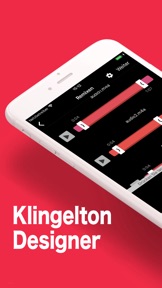
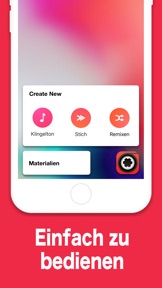
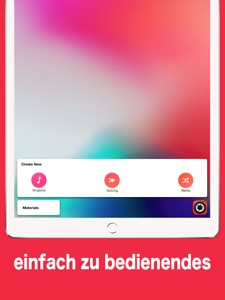
Audio Bearbeiten ist ein hochwertiger Audio- und Musik-Redakteur. Audio Editor ist ein einfach zu bedienendes Werkzeug zum Schneiden und Mischen von Musik.
Eigenschaften:
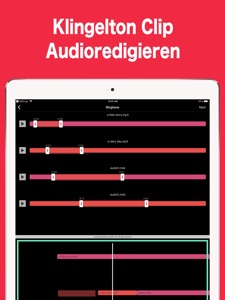
- Professioneller Klingelton Clip
- Einfaches und schnelles Audioredigieren mit Schneiden, Kopieren, Hinzufügen und Reverse.
- einfaches Musik-Stitching: Songs bearbeiten und Spleißen als Ganzes
- einzigartige Musik mischen: Sie können frei zwei Lieder schneiden
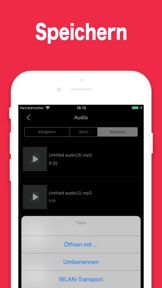
- Laden Sie jede Datei herunter, die von iTunes unterstützt wird, und speichern Sie es als .mp3 oder .m4a.
==========================
Audio Editor Pro Unlimited Subscription
==========================
- Join Audio Editor Pro Unlimited use all features for free, including higher quality sound quality, unlimited time mixing modes, richer import and export modes, and ads are automatically removed.
- Audio Editor Pro Unlimited subscription is billed monthly or annually at the rate correspnding to the selected plan. In addition, a one-time payment will be offered if needed, which is not one of the subscription plan.
- Payment will be charged to Itunes Account at confirmation of purchase.
- Subscriptions automatically renews unless auto-renew is turned off at least 24 hours before the end of the current period.
- Account will be charged for renewal within 24-hours prior to the end of the current period, and identify the cost of the renewal.
- Subscriptions may be managed by the user and auto-renewal may be turned off by going to the user's Account Settings after purchase.
- Any unused portion of a free trial period, if offered, will be forfeited when the user purchases a subscription to that publication, where applicable.
- Terms of use : http://blog.sina.com.cn/s/blog_9e187d450102y1hd.html
- Privacy http://blog.sina.com.cn/s/blog_9e187d450102xka0.html
Feel free to contact us: globalfadeback@163.com
Your problems or suggestions are important to us!
Neue Funktionen von Version 3.5
In this version we fix a bug of zoom in / out and we optimized the waveform display. I hope you can update as soon as possible.
Audio Editor 3 adapts for iOS 12 and the new iPhone. It brings some new features and optimizations
---- New features ----
• Add audio operation. It can support to clip, segment, copy and reorder audio fragments.
• Add audio enhancement effect. You can easily achieve audio variable speed, rising tone, falling tone, gain, noise, variable tone, equalizer and other effects.
• Add voice input feature. You can record one or multiple audio fragments while editing audio fragments. And you can choose to turn on or off background audio when recording
• Preset various sound scenes, including KTV, hall, square, etc.
• Optimize audio waveform to improve the rendering speed of audio graphs.
• Redo the export module to facilitate the selection of various formats, adding to support mp3, m4a, wav, m4r, caf, aiff, aifc, aac, flac and other formats.
• Optimize the audio display module by using different colors for different audio and similar colors for different segments of the same audio.
• Add graphical help for user concentrated feedback issues.
• Add support for airdrop export.
• Other optimization improvements.
• Add two new app ICONS.
• Full-screen editing mode
• Fade in/out features
---- Contact us ----
If you have any questions, please email us. We will take your feedback seriously and try our best to meet your requirements. Thank you!
globalfadeback@163.com
Informationen
Entwickler
Kategorien
Version
3.5
Größe
110 MB
Game Center
Nein
VPP Device Licensing
Ja
Bewertung
Altersfreigabe: 4+
Kompatibilität
iOS 9.0 oder neuer
Geräte
iPhone 11 Pro Max, iPad Air 2 (Cellular), iPad mini Retina (Cellular), iPad Pro (11"), iPad (5. Generation) Wi-Fi, iPad (6. Generation) Wi-Fi, iPod touch (6. Generation), iPad Pro (11") Wi-Fi + Cellular, iPad (6. Generation) Wi-Fi + Cellular, iPad Pro (12,9", 3. Generation), iPad (5. Generation) Wi-Fi + Cellular, iPad mini (5. Generation) Wi-Fi + Cellular, iPad mini (5. Generation), iPad Pro, iPad mini 3, iPad mini 4 (Cellular), iPad mini 4, iPhone 11, iPod touch (7. Generation), iPad mini 3 (Cellular), iPad Air, iPad Air 2, iPad Pro (12,9", 2. Generation), iPad Pro (Cellular), iPad Pro (9,7 Zoll) (Cellular), iPad Pro (10,5") Wi-Fi + Cellular, iPad Pro (9,7 Zoll), iPad mini Retina, iPad Air (Cellular), iPad Air (3. Generation) Wi-Fi + Cellular, iPhone 6 Plus, iPad Air (3. Generation), iPad Pro (10,5"), iPad Pro (12,9", 2. Generation) Wi-Fi + Cellular, iPhone 6, iPhone XR, iPhone XS, iPhone 6s, iPhone SE, iPhone 7 Plus, iPhone 6s Plus, iPhone 5s, iPhone X, iPhone 8, iPhone XS Max, iPhone 8 Plus, iPhone 7, iPhone 5, iPad (7. Generation) Wi-Fi, iPhone 5c, iPad (7. Generation) Wi-Fi + Cellular, iPhone 11 Pro, iPad Pro (12,9", 3. Generation) Wi-Fi + Cellular
Sprachen
Deutsch, Arabisch, Chinesisch, Dänisch, Englisch, Finnisch, Französisch, Griechisch, Hebräisch, Hindi, Indonesisch, Italienisch, Japanisch, Katalanisch, Koreanisch, Kroatisch, Malaiisch, Niederländisch, Norwegisch Bokmål, Polnisch, Portugiesisch, Rumänisch, Russisch, Schwedisch, Slowakisch, Spanisch, Thailändisch, Tschechisch, Türkisch, Ukrainisch, Ungarisch, Vietnamesisch
App Store: Kundenbewertungen
Bewertungen & Rezensionen
0,0 von 5 (Keine Bewertung)
App Store: Kundenrezensionen
Kein Eintrag