Wird aktualisiert


±0
Nr. 51 in Top Kauf-Apps > Entwickler-Tools
iPhone Screenshots






iPad Screenshots




Beschreibung
Erfassen und überprüfen Sie die Farben Ihrer Fotos mit Colordrop – einem modernen und fortschrittlichen Farbwähler.
ERFASSEN
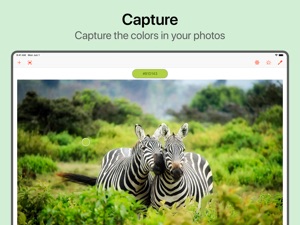
Erfassen Sie Farben von Ihren Fotos.
- Wählen Sie Farben von einem Bild oder Foto aus.
- Öffnen Sie Fotos aus Ihren Fotoalben, Ihrer Kamera oder Ihren Dateien.
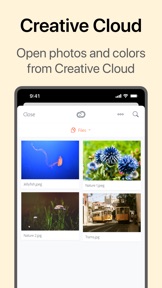
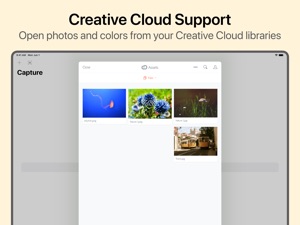
- Öffnen Sie Bilder oder importieren Sie Farben aus der Adobe Creative Cloud.
- Zeigen Sie einfach die dominantesten Farben in einem Bild an und wählen Sie sie aus.
- Wählen Sie einen Erfassungsradius aus, um die von Ihnen erfassten Farben genau anzupassen.
- Mit der Colordrop-App-Erweiterung können Sie Farben auswählen, ohne die App zu öffnen, z. B. in der Fotos-App.
- Das Widget „Heute anzeigen“ zeigt Ihnen Ihre neuesten Farben.
- Fügen Sie manuell eine Farbe per Hex-Code oder mithilfe des integrierten Farbwählers hinzu.
PRÜFEN
Das detaillierteste Tool zur Farbanalyse, das auf iPhone oder iPad verfügbar ist.
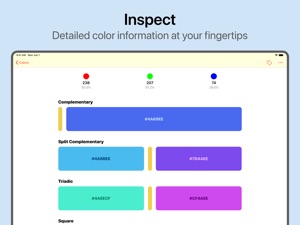
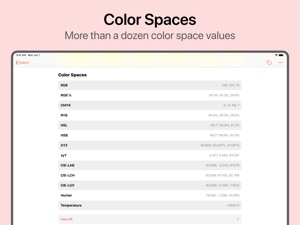
- RGB-, CYMK- und RYB-Farbübersichten
- CIE-LAB-, CIE-LCH-, HSL-, HSV-, XYZ-Farbwerte (und viele mehr)
- Komplementär- und Split-Komplementärfarben
- Triaden- und Tetradenfarben
- Farbtöne, Schattierungen, Töne und monochromatische Farben
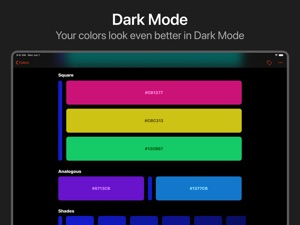
- quadratische und analoge Farben
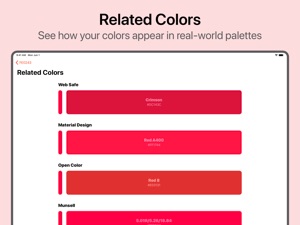
- ähnliche Farben für RAL Classic, Web, HKS und vieles mehr
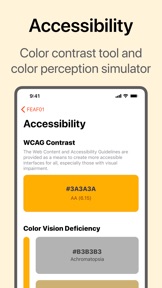
- Farbenblindheitssimulator und Farbkontrastprüfer
- Kopieren oder teilen Sie schnell Farbcodes.
- Farbbeschreibungen beschreiben das Erscheinungsbild einer Farbe real.
- Metadaten geben an, woher die Farbe stammt und wann Sie sie gespeichert haben.
UND NOCH MEHR...
Ein leistungsstarkes Tool für Entwickler und kreative Köpfe.
- Leistungsstarke Suchfunktion, einschließlich Unterstützung für Spotlight.
- Organisieren Sie Ihre Farben mit Tags.
- Ziehen Sie Farben per Drag & Drop in andere Apps oder speichern Sie neue Farben.
- Siri-Verknüpfungen zum Erfassen oder Anzeigen von Farben.
- Apple-Watch-App, um alle Ihre gespeicherten Farben auf einen Blick anzuzeigen.
- Exportieren Sie Farben in Procreate Swatch, Adobe Color Swatch oder in JSON- oder CSV-Formate.
- Ändern Sie das Standardleuchtmittel für genaue Farben in jeder Umgebung.
- Passen Sie die angezeigten Farbdaten an.
Colordrop wird von einem Team aus einer Person entwickelt! Feedback und Vorschläge für neue Funktionen sind herzlich willkommen. Schreiben Sie über Twitter (@penguingeorge) oder per E-Mail an help@penguingeorge.com.
Neue Funktionen von Version 2.5
This version includes:
LIVE CAPTURE
The new "Live Capture" feature lets you view the colors around you in real time. Simply point your device's camera at the colors you want to capture and tap Save. You can also lock the camera, letting you reposition the Loupe to capture colors more accurately.
MAGNIFIER LOUPE
The new Magnifier loupe makes it easier to see which colors you're capturing, right down to individual pixels. If you prefer the old way, you can toggle the magnifier on or off in the Capture Options pane.
COLOR AS CODE
View and copy Swift, Objective-C and CSS representations of your colors. Choose from over 30 different options, and customise which styles appear.
SHARE AS IMAGE
You can now save and share a color as an image. You'll find this new feature alongside the regular Share buttons in the app.
Also included:
- HKS color system added to "Related Colors".
- "Copy on Capture" setting copies newly saved colors to the clipboard automatically.
- Tagging your colors is now much easier. The redesigned Tags view lets you add or modify the tags you've assigned to a color.
- OSA-UCS 74 and OSA-UCS 90 color values added.
- Improvements to the "Metadata" view, particularly for viewing the source image.
- Improvements to the accuracy of color temperature readings, including the addition of Duv value.
- Minor improvements to accessibility throughout the app, including support for larger fonts.
- Bug fixes and other minor improvements.
If you like Colordrop, please give a rating and a review – it really helps! If you have feedback or feature suggestions, please get in touch by emailing help@penguingeorge.com.
Anbieter
Name
George Jones
Informationen
Entwickler
Kategorien
Version
2.5
Größe
50,1 MB
Game Center
Nein
VPP Device Licensing
Ja
Bewertung
Altersfreigabe: 4+
Kompatibilität
iOS 13.2 oder neuer
Geräte
iPhone 5s, iPhone 6, iPhone 6 Plus, iPhone 6s, iPhone 6s Plus, iPhone SE, iPhone 7, iPhone 7 Plus, iPhone 8, iPhone 8 Plus, iPhone X, iPhone XR, iPhone XS, iPhone XS Max, iPhone 11, iPhone 11 Pro, iPhone 11 Pro Max, iPhone SE (2. Generation), iPad (5. Generation) Wi-Fi, iPad (5. Generation) Wi-Fi + Cellular, iPad (6. Generation) Wi-Fi, iPad (6. Generation) Wi-Fi + Cellular, iPad Pro, iPad Pro (Cellular), iPad Pro (9,7 Zoll), iPad Pro (9,7 Zoll) (Cellular), iPad Pro (12,9", 2. Generation), iPad Pro (12,9", 2. Generation) Wi-Fi + Cellular, iPad Pro (10,5"), iPad Pro (10,5") Wi-Fi + Cellular, iPad Pro (11"), iPad Pro (11") Wi-Fi + Cellular, iPad Pro (12,9", 3. Generation), iPad Pro (12,9", 3. Generation) Wi-Fi + Cellular, iPad Air, iPad Air (Cellular), iPad Air 2, iPad Air 2 (Cellular), iPad Air (3. Generation), iPad Air (3. Generation) Wi-Fi + Cellular, iPad mini Retina, iPad mini Retina (Cellular), iPad mini 3, iPad mini 3 (Cellular), iPad mini 4, iPad mini 4 (Cellular), iPad mini (5. Generation), iPad mini (5. Generation) Wi-Fi + Cellular, iPad (7. Generation) Wi-Fi, iPad Pro 11" (2. Generation), iPad Pro 11" (2. Generation) Wi-Fi + Cellular, iPad Pro 12,9" (4. Generation), iPad Pro 12,9" (4. Generation) Wi-Fi + Cellular, iPod touch (6. Generation), iPod touch (7. Generation), Apple Watch Series 4
Sprachen
Deutsch, Dänisch, Englisch, Französisch, Italienisch, Japanisch, Niederländisch, Spanisch
App Store: Kundenbewertungen
Bewertungen & Rezensionen
0,0 von 5 (Keine Bewertung)
App Store: Kundenrezensionen
Kein Eintrag